

Once a tool is deployed (cargo-ai cdk deploy), you can run it many ways. The code-first paths — the CLI and cron triggers declared in defineTool — are covered first; the UI Trigger tab is the same thing with a mouse.

From the CLI

The CLI is the fastest way to run a deployed tool. Find the tool’s workflowUuid, then create a run.
cargo-ai orchestration tool list                 # → workflowUuid

Single run

cargo-ai orchestration run create \
  --workflow-uuid <uuid> \
  --data '{"company_domain":"acme.com","contact_email":"john@acme.com"}' \
  --wait-until-finished
run create works with tool workflows only. For plays, use batch create instead — see Triggering a play.

Bulk run

Run the tool across many records with a single batch:
cargo-ai orchestration batch create \
  --workflow-uuid <uuid> \
  --data '{"kind":"records","records":[
    {"company_domain":"acme.com","contact_email":"john@acme.com"},
    {"company_domain":"globex.io","contact_email":"jane@globex.io"}
  ]}'

cargo-ai orchestration batch get <batch-uuid>     # poll for completion
Ramp batch sizes gradually — 1 record, then 50, then the full set — so connector rate limits surface before they affect thousands of rows.

On a schedule (cron triggers)

Declare recurring runs directly on the tool. Triggers live in code, so they’re versioned and deployed with everything else:
tools/enrich.ts
export const enrich = defineTool("enrich", {
  workflow: enrichFlow,
  triggers: [
    { cron: "0 9 * * 1", name: "Weekly enrichment" },
    { cron: "0 */6 * * *", name: "Every 6 hours", data: { source: "scheduled" } },
  ],
});
Cron is the only trigger kind tools support. data is passed as the run input each time the schedule fires. cargo-ai cdk deploy reconciles the trigger list.

Inside a play, agent, or MCP server

Tools are meant to be composed. Reference the tool handle in code and the platform wires the rest:
// In a workflow (play or another tool) — call it via `uses`
const flow = defineWorkflow("onboard", { input, output, uses: { enrich } },
  ({ input, uses }) => uses.enrich({ email: input.email }),
);

// In an agent — expose it as a callable tool
export const sdr = defineAgent("sdr", { tools: [enrich], /* … */ });

// Over MCP — publish it to external AI clients
export const server = defineMcpServer("gtm", { tools: [enrich] });
See Plays, Agents, and MCP servers.

Over the API

Execute a tool synchronously via REST. If execution exceeds 5 minutes it times out.
curl -X POST "https://api.getcargo.io/v1/tools/{tool_id}/execute?token={your_token}" \
  -H "Content-Type: application/json" \
  -d '{
    "company_domain": "acme.com",
    "contact_email": "john@acme.com"
  }'
{
  "status": "success",
  "createdAt": "2024-01-15T10:30:00Z",
  "finishedAt": "2024-01-15T10:30:02Z",
  "input": { "company_domain": "acme.com", "contact_email": "john@acme.com" },
  "output": { "company_name": "Acme Corporation", "employee_count": 500, "industry": "Technology" }
}

Batch execution

For many records or long-running operations, use the batch API.
curl -X POST "https://api.getcargo.io/v1/tools/{tool_id}/batches?token={your_token}" \
  -H "Content-Type: application/json" \
  -d '{
    "webhookUrl": "https://your-server.com/cargo-callback",
    "webhookSecret": "your-secret",
    "data": [
      {"company_domain": "acme.com", "contact_email": "john@acme.com"},
      {"company_domain": "globex.io", "contact_email": "jane@globex.io"}
    ]
  }'
webhookUrl is optional. When set, results are POSTed there on completion. webhookSecret is also optional — when provided, Cargo signs every delivery with an HMAC-SHA256 signature in the X-Cargo-Signature header (sha256=<hex>). Verify it before trusting a delivery:
import { createHmac, timingSafeEqual } from "node:crypto";

function isValidSignature(rawBody: string, secret: string, header: string) {
  const expected = "sha256=" + createHmac("sha256", secret).update(rawBody).digest("hex");
  const a = Buffer.from(header);
  const b = Buffer.from(expected);
  return a.length === b.length && timingSafeEqual(a, b);
}
Poll for results with the batch UUID, and cancel if needed:
curl "https://api.getcargo.io/v1/tools/{tool_id}/batches/{batch_uuid}?token={your_token}"
curl -X POST "https://api.getcargo.io/v1/tools/{tool_id}/batches/{batch_uuid}/cancel?token={your_token}"

Public form

Expose the tool as a hosted, embeddable web form that runs its workflow on submit. See Public form.

From the UI

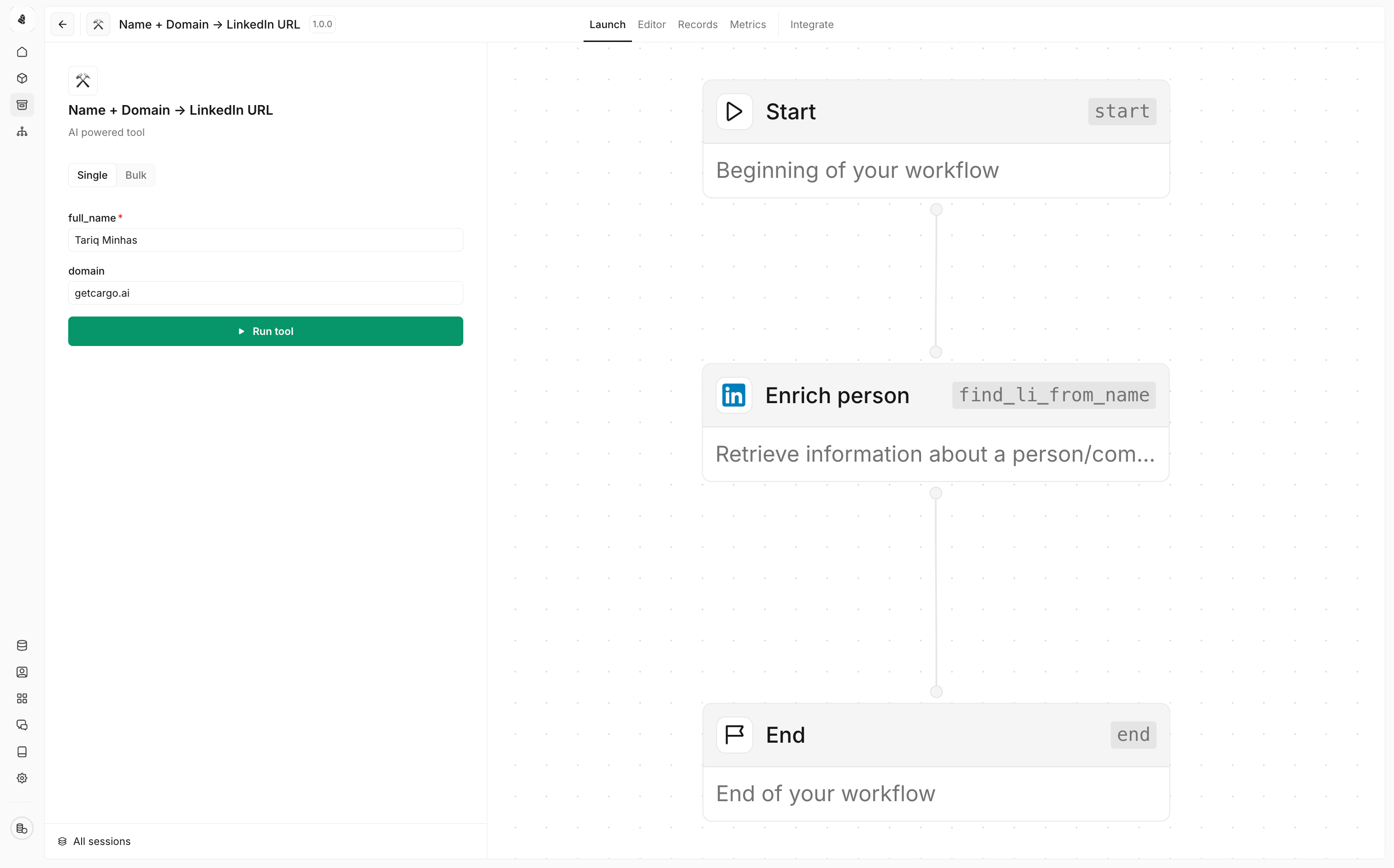
The Trigger tab mirrors the CLI: Single runs one record, Bulk uploads a CSV whose headers map to the tool’s input fields. Good for ad-hoc testing without a terminal. Triggering a tool
company_domain,contact_email
acme.com,john@acme.com
globex.io,jane@globex.io

Choosing a method

MethodBest forAutomation level
CLIScripted, ad-hoc, and CI-driven runsFully automated
Cron triggerRecurring runs declared in codeFully automated
PlaysEvent-driven, multi-step automationFully automated
AgentsContext-aware, AI-driven invocationAI-driven
MCP serverExternal AI system integrationAI-driven
APICustom applications, programmatic accessFully automated
Trigger tabTesting and one-off runsManual