

What are agents?
Agents are intelligent actors in Cargo that reason and answer open-ended questions relevant to your GTM processes. They use foundational AI models to leverage semantic reasoning to trigger the right set of actions, resources or MCP servers to achieve the task given to them. Unlike Plays—which follow a pre-defined sequence of steps—Agents use a reasoning engine to dynamically determine the best path to a goal based on input context and available actions.Agents vs Plays: Use a Play when your workflow is predictable and
repeatable. Use an Agent when tasks require reasoning, adaptability, or
handling variable inputs.
Use cases
Agents can be used for a variety of GTM tasks, including:- Automated research: The agent can use its reasoning to sift through information on companies and people and retain the most relevant intelligence for the task at hand.
- Lead and account qualification: Qualify leads and accounts based on custom rules and real-time data.
- Sales enablement: Agents can use a wide-range of context about a deal or an incident, to provide guidance on the next best step to assist a sales team member’s job.
- CRM management: Update fields, upsert records, and maintain data integrity across your systems.
- Signal extraction: Summarize conversations and identify product interest or objections.
- Risk detection: Proactively spot churn signals, usage drops, or job changes.
Step-by-step: Build your first agent
Follow these steps to create an agent that qualifies leads based on your Ideal Customer Profile.Step 1: Create a new agent
- Navigate to Agents in your Cargo workspace sidebar
- Click + New Agent in the top right corner
- Give your agent a descriptive name (e.g., “Lead Qualification Agent”)
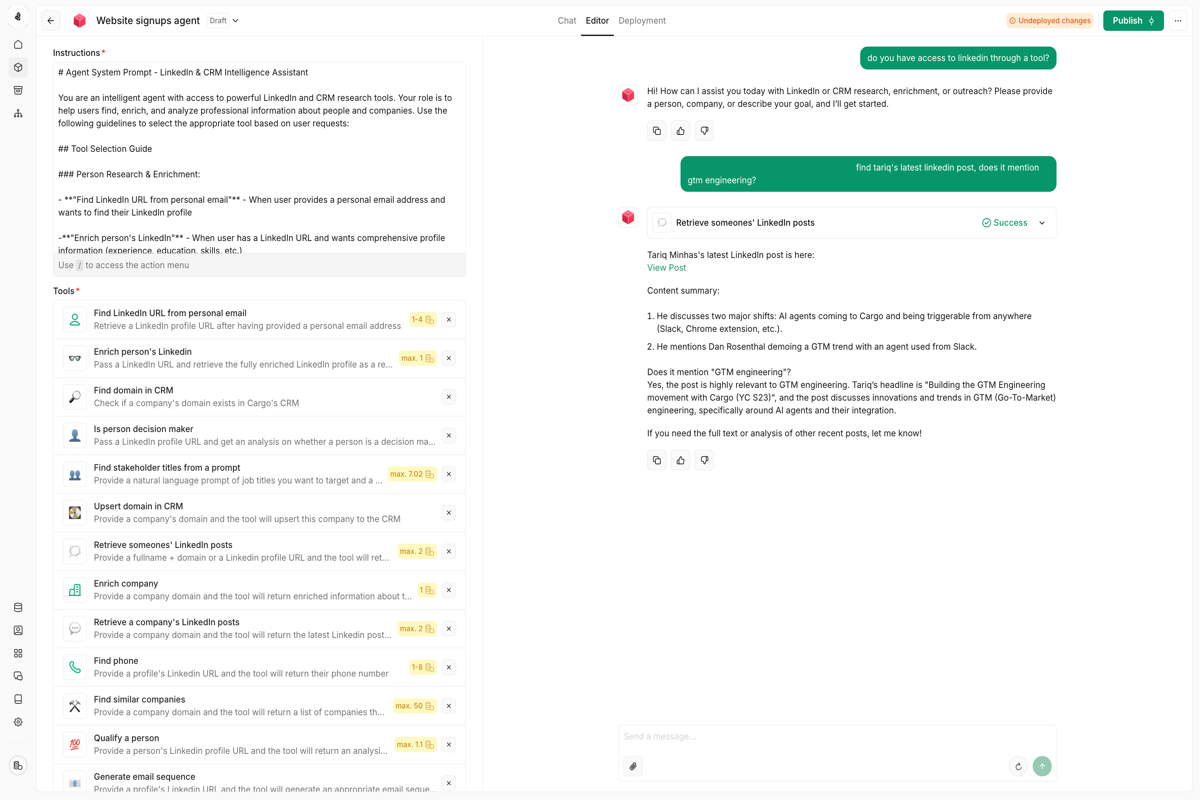
Step 2: Define the instructions
The instructions tell your Agent who it is, what it should do, and what it should avoid. Click on the Instructions tab and define:- Role / Purpose — Who the Agent is and what it’s trying to achieve
- Behavior — The steps it takes, actions it uses, and the format of its output
- Avoidances — What the Agent must NOT do
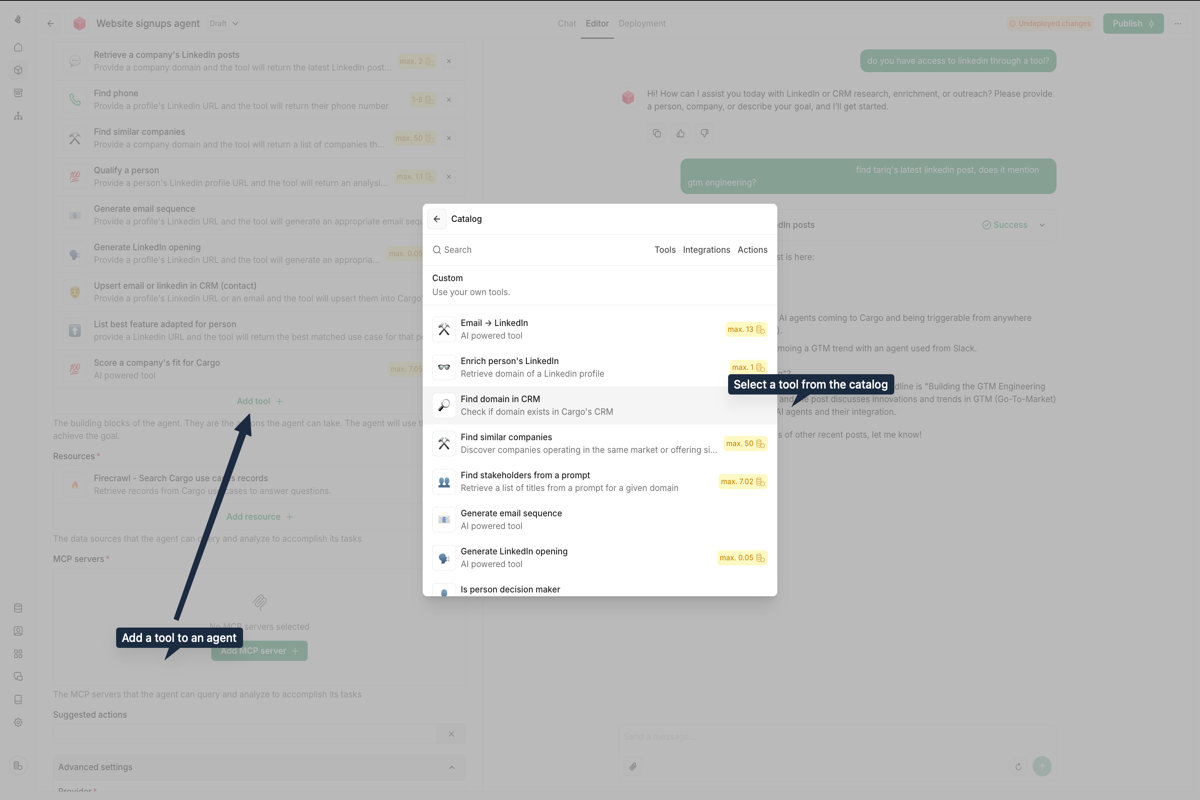
Step 3: Add actions
Actions give your Agent the ability to take action—updating CRMs, sending messages, and enriching data.- Click on the Actions tab
- Select the actions your Agent needs (e.g., “Company Enrichment”, “CRM Update”)
- Write clear descriptions for each action so the Agent knows when to use them
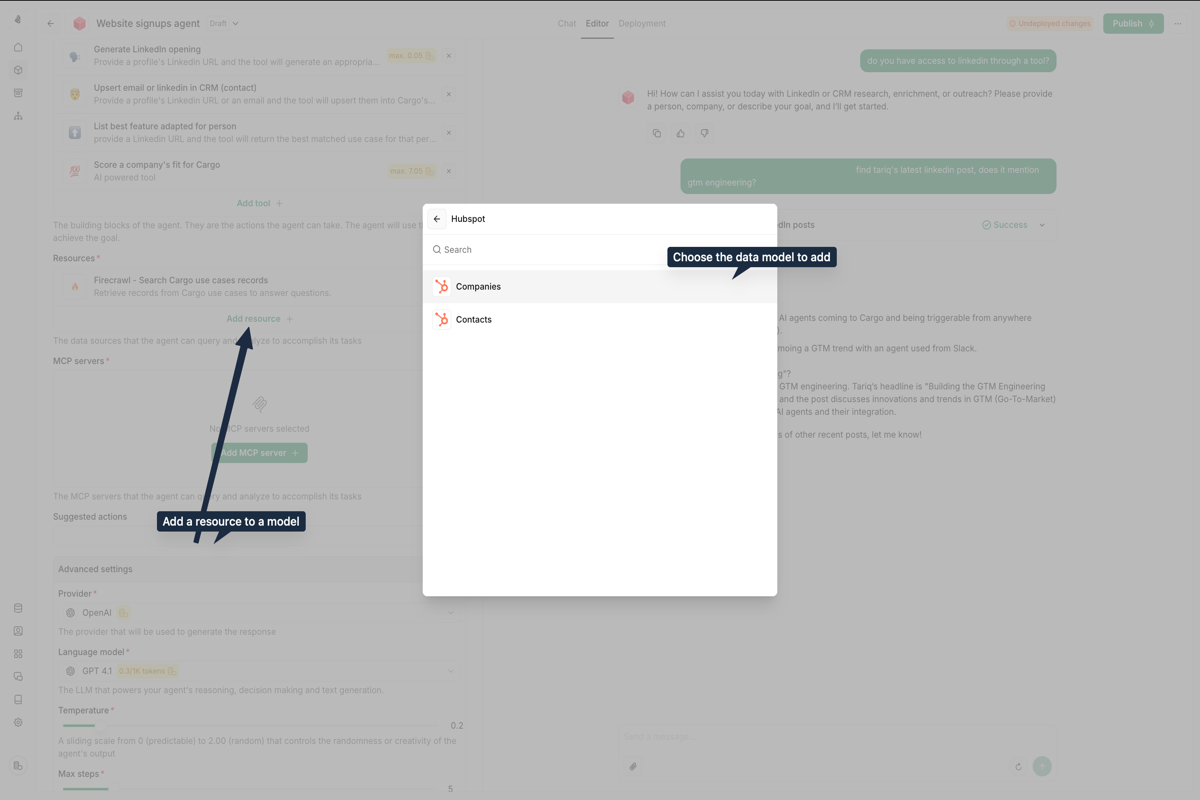
Step 4: Load resources
Resources are knowledge bases and data sources that ground the Agent’s reasoning.- Click on the Resources tab
- Add relevant documents, spreadsheets, or data sources (e.g., your ICP criteria)
- The Agent will reference these during execution
Step 5: Configure capabilities
Enable built-in LLM features that enhance your Agent:- Memory — Remember context across conversations
- Web Search — Look up real-time information online
- Canvas — Generate and edit structured content
Step 6: Test your agent
Before deploying, test your Agent:- Click the Test button
- Enter a sample prompt (e.g., “Qualify this lead: acme.com”)
- Review the Agent’s reasoning and actions
- Refine the instructions based on the output
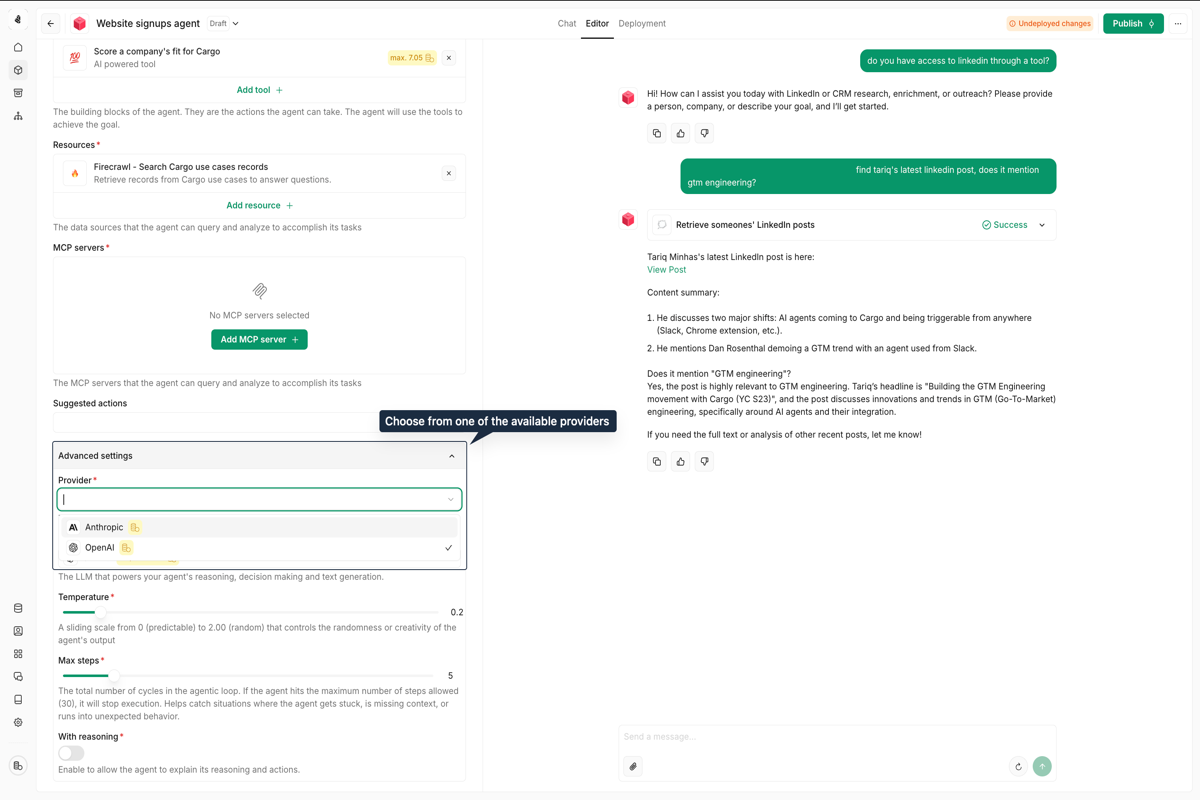
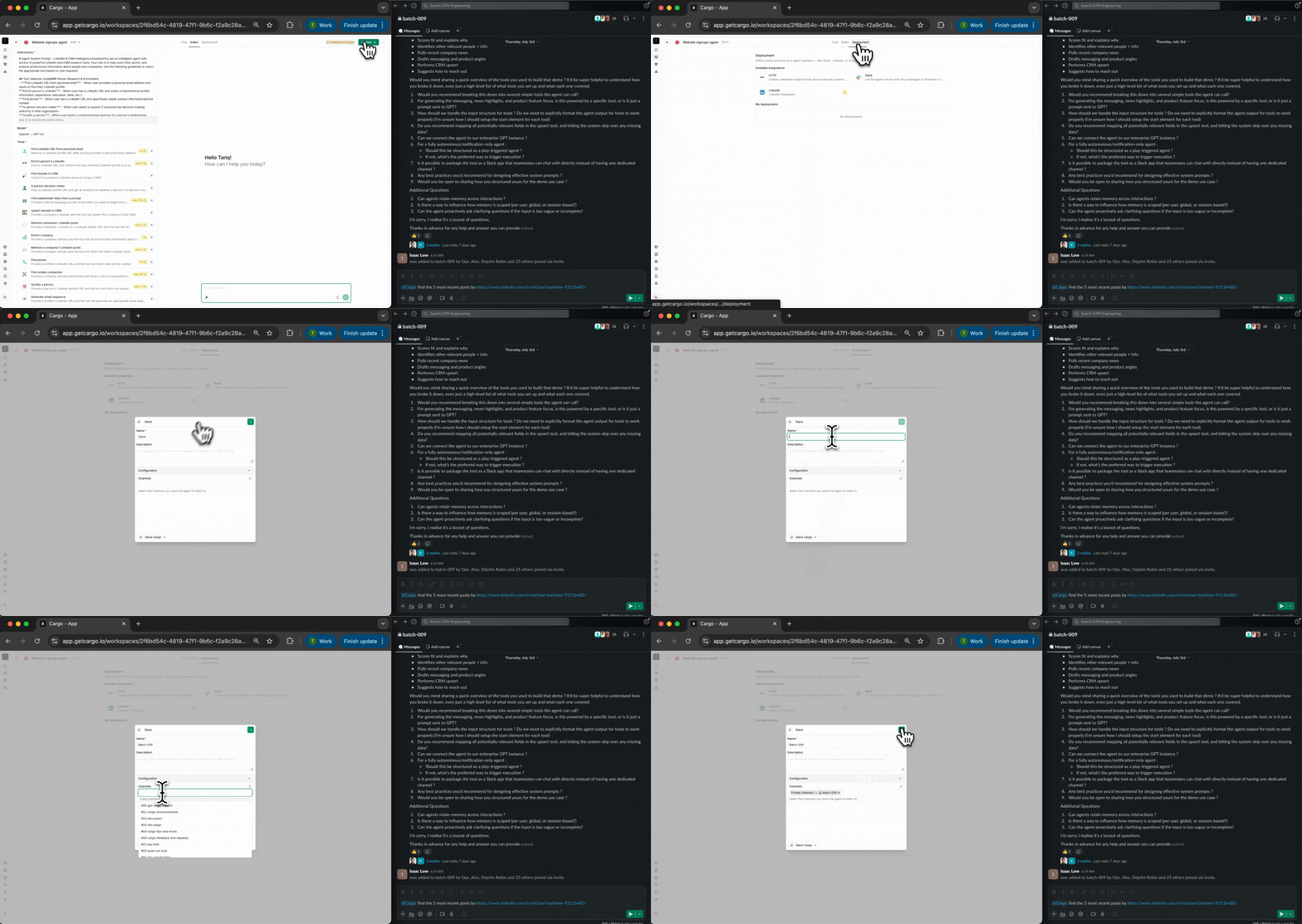
Step 7: Deploy
Once everything works:- Click Deploy in the top right corner
- Choose your deployment channels (Slack, Chrome extension, Play, CRM button)
- Your Agent is now ready to use!
Best practices
- Start with a focused goal — Build Agents for specific tasks rather than general-purpose assistants. A lead qualification Agent will outperform a “do everything” Agent.
- Write clear action descriptions — The Agent reads action descriptions to decide when to use them. Be specific about what each action does and when to use it.
- Handle edge cases — Tell the Agent what to do when data is missing or an action fails. Don’t let errors silently fail.
- Test iteratively — Run test queries and refine the instructions based on actual outputs. Small tweaks can significantly improve results.
Next steps
Craft better instructions
Master the art of writing Agent prompts that deliver consistent, high-quality results.
Integrate actions
Connect your Agent to CRMs, enrichment services, and communication platforms.
Load resources
Ground your Agent with knowledge bases and data sources.
Advanced settings
Fine-tune LLM provider, temperature, reasoning, and execution limits.