

Members
When you connect a tool containing your sales organization (such as a CRM), Cargo automatically imports team members and keeps them synchronized. This creates a unified view of your team across your workspace. You can enhance member profiles with custom metadata—such as spoken languages, mailboxes, or specializations—to personalize how leads are assigned.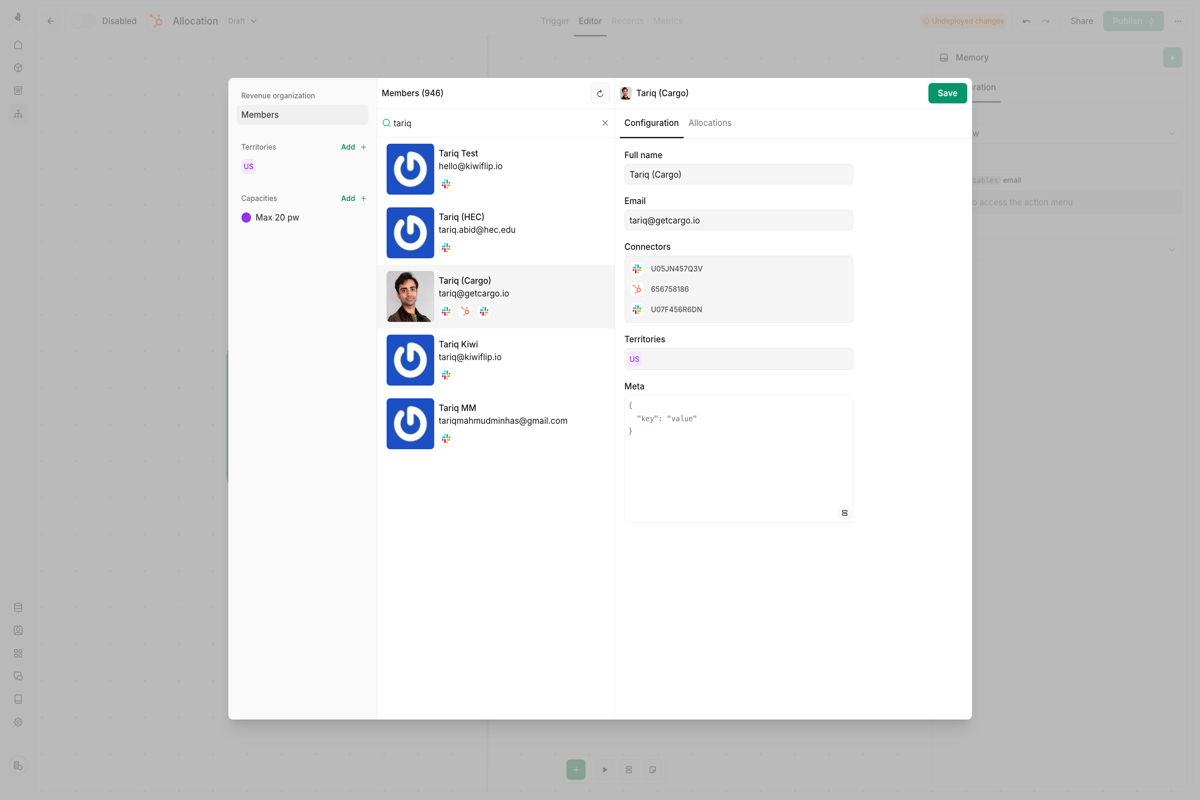
Territories
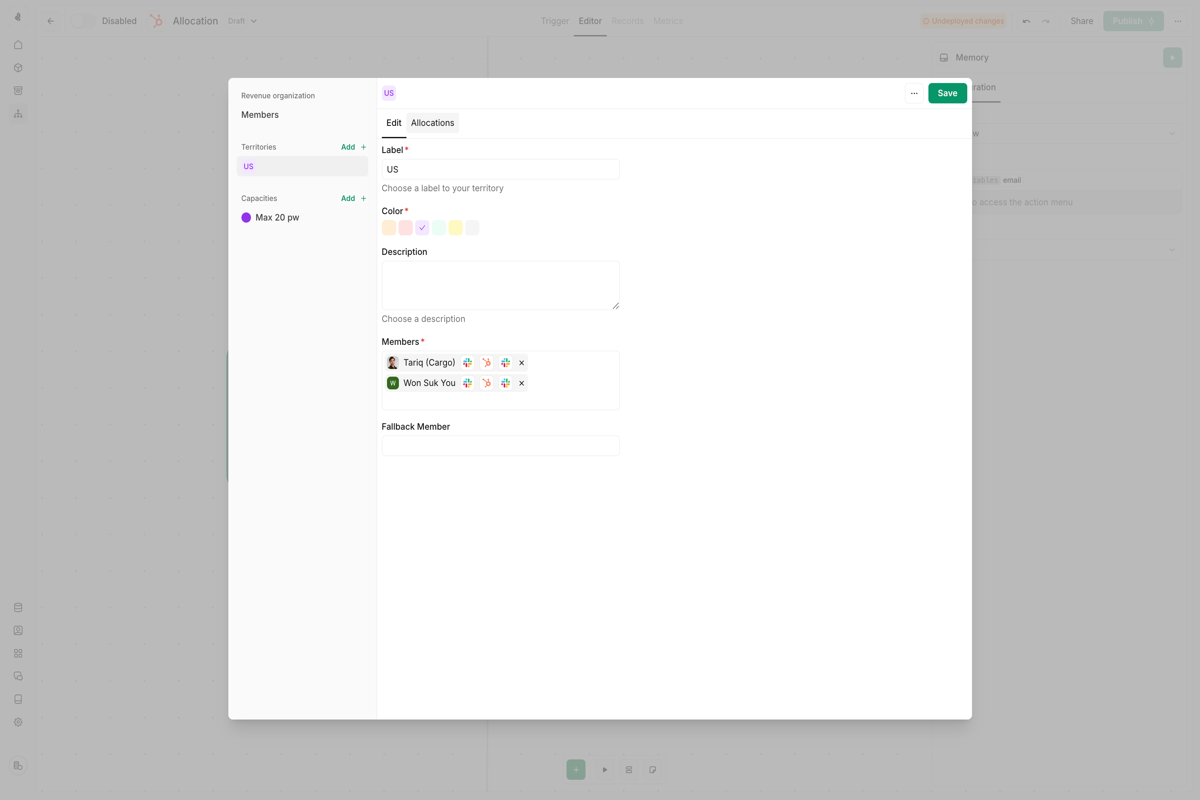
Territories group members into logical units that reflect your sales structure. Common examples include:- Geographic regions (EMEA, APAC, Americas)
- Industry verticals (Healthcare, Finance, Technology)
- Company size segments (Enterprise, Mid-market, SMB)
Capacity
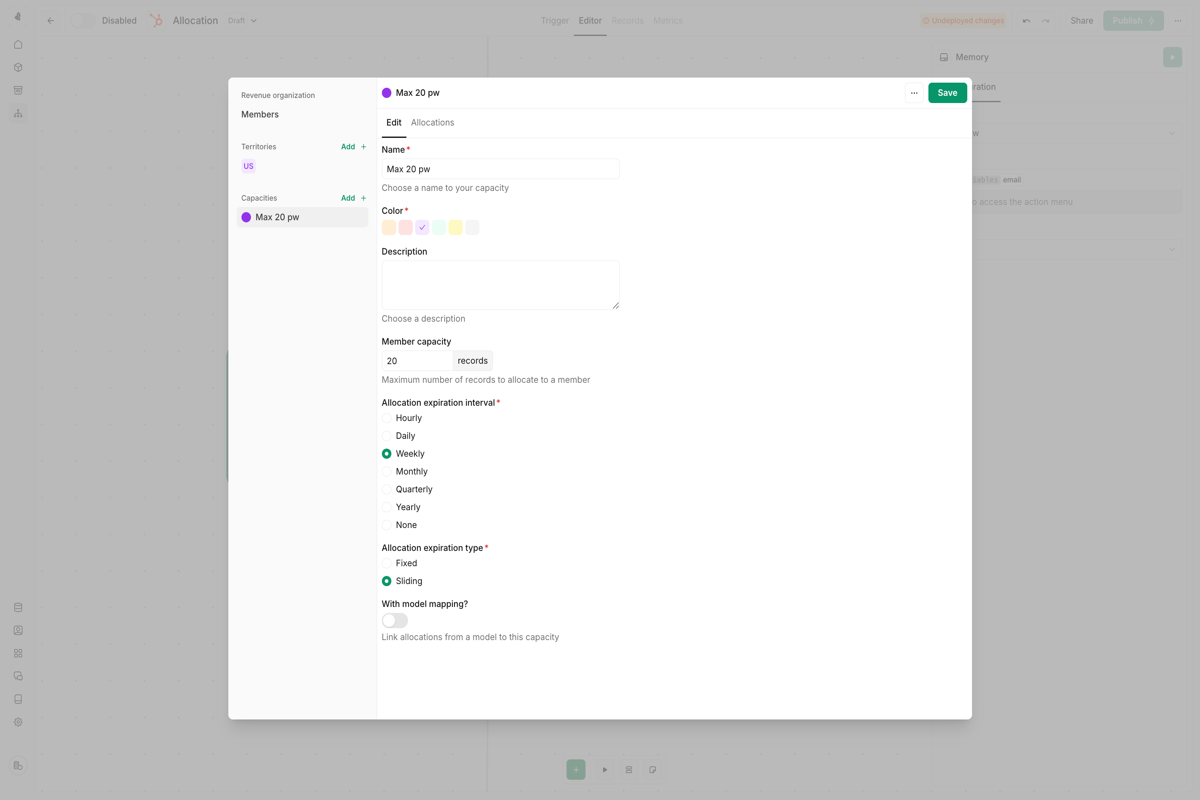
Capacity configurations set maximum allocation limits per member within a defined timeframe. This ensures fair workload distribution and prevents rep overload. For example, you might set a capacity of 3 leads per day to match your team’s average sales cadence.Capacities are calculated independently. A member can be available for
allocation under one capacity configuration while being fully booked under
another.
Allocation node
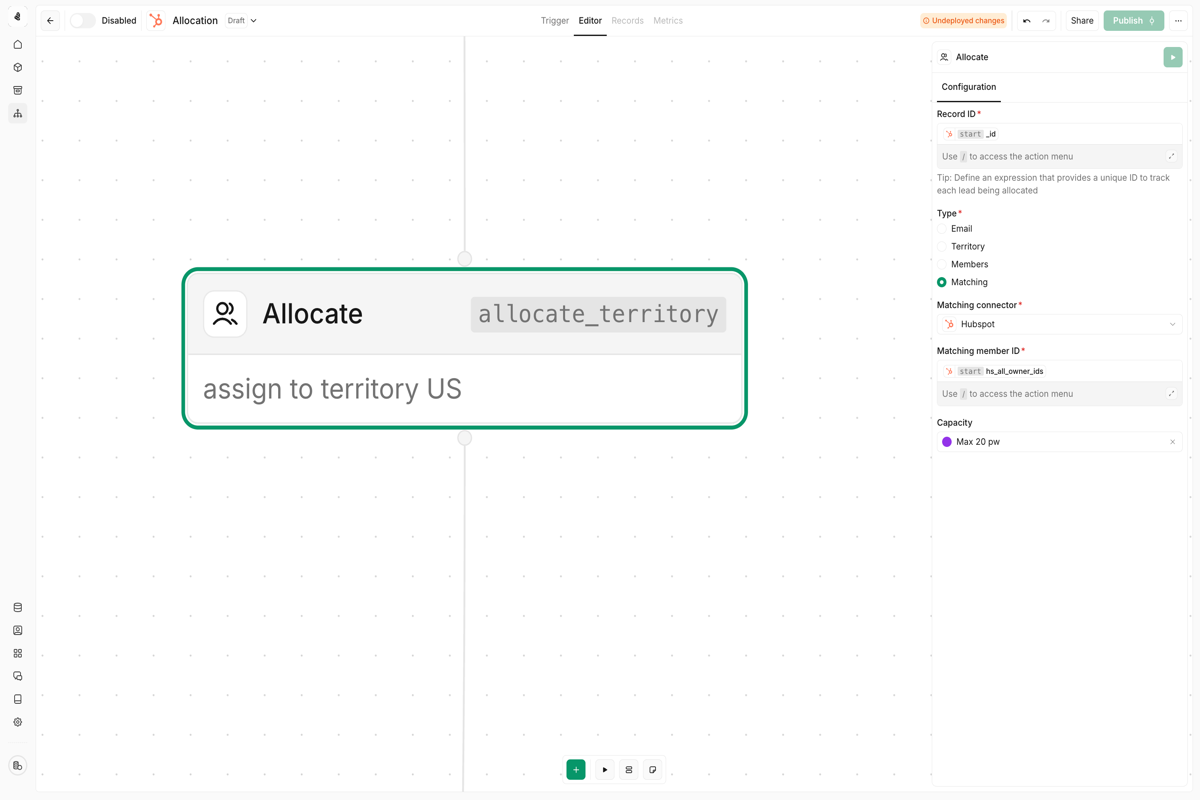
The allocation node is where leads get assigned to members. By default, it uses round-robin distribution, spreading assignments evenly across available reps. You can configure the allocation node to match leads based on:- Email address — Route based on the lead’s email domain
- Territory — Assign to members within a specific territory
- Static list — Choose from a predefined set of members
- Connector matching — Use data from connected tools to determine ownership
The allocation node requires a reliable record ID to track each lead
assignment internally.
Capacity model mapping
Capacity model mapping lets Cargo calculate each member’s availability from records in a transactional model (for example, open deals). Instead of using only static limits, you can count active workload per owner and use that count during allocation.In very simple terms
Think of this as “how many plates each rep is already carrying.”- Without model mapping: Cargo only sees assignment counts in this capacity rule. If two reps are both under the limit, they can both keep getting leads, even if one rep already has many open deals in your CRM.
- With model mapping: Cargo checks your model (for example, HubSpot deals), counts open deals per rep, and treats reps with fewer open deals as more available.
- Rep A has 12 open deals, Rep B has 3 open deals.
- Without mapping: both may look similarly available if this capacity rule has not reached its own count.
- With mapping: Rep B is clearly less busy, so Rep B is prioritized.
Data models used for capacity mapping must be transactional objects (like CRM
deals), where one record represents one allocation unit.
- One record should equal one unit of rep workload (for example, one open deal)
- You need availability based on live pipeline state, not only a fixed daily cap
- You have a reliable owner field that maps to member IDs from the same connector
Configuration walkthrough
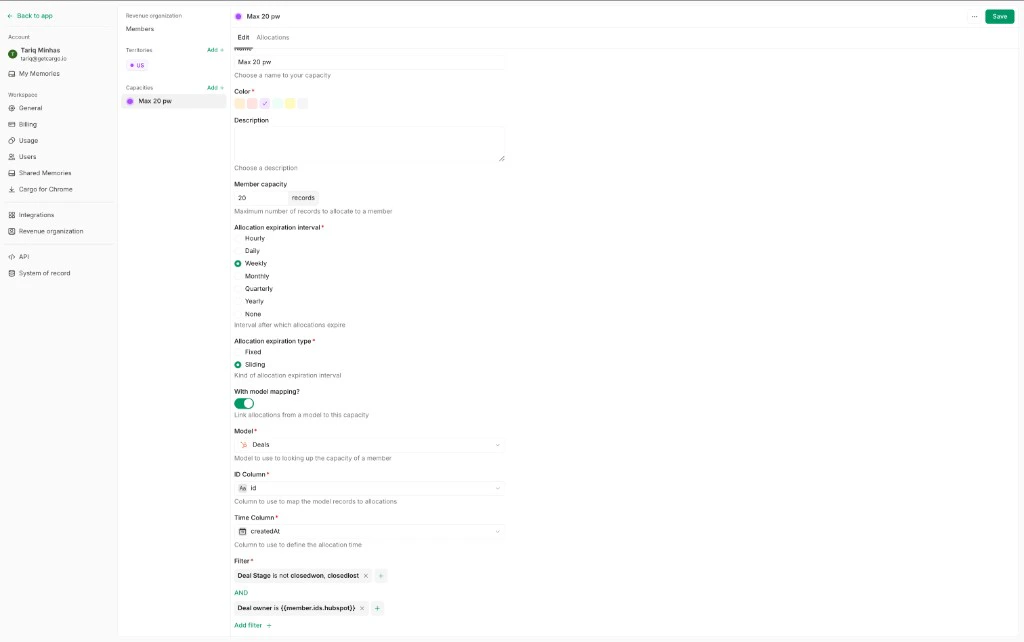
- Select a transactional model that represents active workload (for example, HubSpot deals).
- Add filters for records that should count against capacity (for example,
dealstageis notclosedwonand notclosedlost). - Choose the owner column from that model (for example,
hubspot_owner_id). - Match that owner value to a Revenue Organization member using the connector-specific member ID expression:
{{member.ids.<connector_name>}}.
Worked example
If your capacity model ishubspot__deals:
- Each open deal counts as one capacity unit
- Include only deals where
dealstageis notclosedwonand notclosedlost - The deal owner field is
hubspot_owner_id - Members are matched with
{{member.ids.hubspot}}
Field guide for this view
| Field | What it controls | How to set it for HubSpot deals |
|---|---|---|
Member capacity | Maximum allowed workload per member for the selected interval | Set your threshold (for example, 20 records) |
Allocation expiration interval | How often capacity is evaluated/reset (Hourly, Daily, Weekly, etc.) | Choose the operating cadence your team uses (for example, Weekly) |
Allocation expiration type | Whether the interval is calendar-anchored (Fixed) or rolling from now (Sliding) | Use Fixed for calendar windows, Sliding for rolling windows |
With model mapping | Enables model-based capacity calculation | Turn on to base capacity on open deals instead of static assignment count |
Model | Transactional model used as workload source | Select Deals / hubspot__deals |
ID Column | Unique key for each workload record | Use id |
Time Column | Timestamp used for interval calculations | Use createdAt (or your canonical deal time column) |
Filter | Defines which records count and who they belong to | Include dealstage not in (closedwon, closedlost) and owner match to {{member.ids.hubspot}} |
Common pitfalls
- Using a non-transactional model where one row does not represent one clear workload unit
- Using the wrong connector key in
member.ids.*(for example,salesforcewhen the model is from HubSpot) - Mapping against an owner field with null values or a different ID format than member IDs
Allocation history
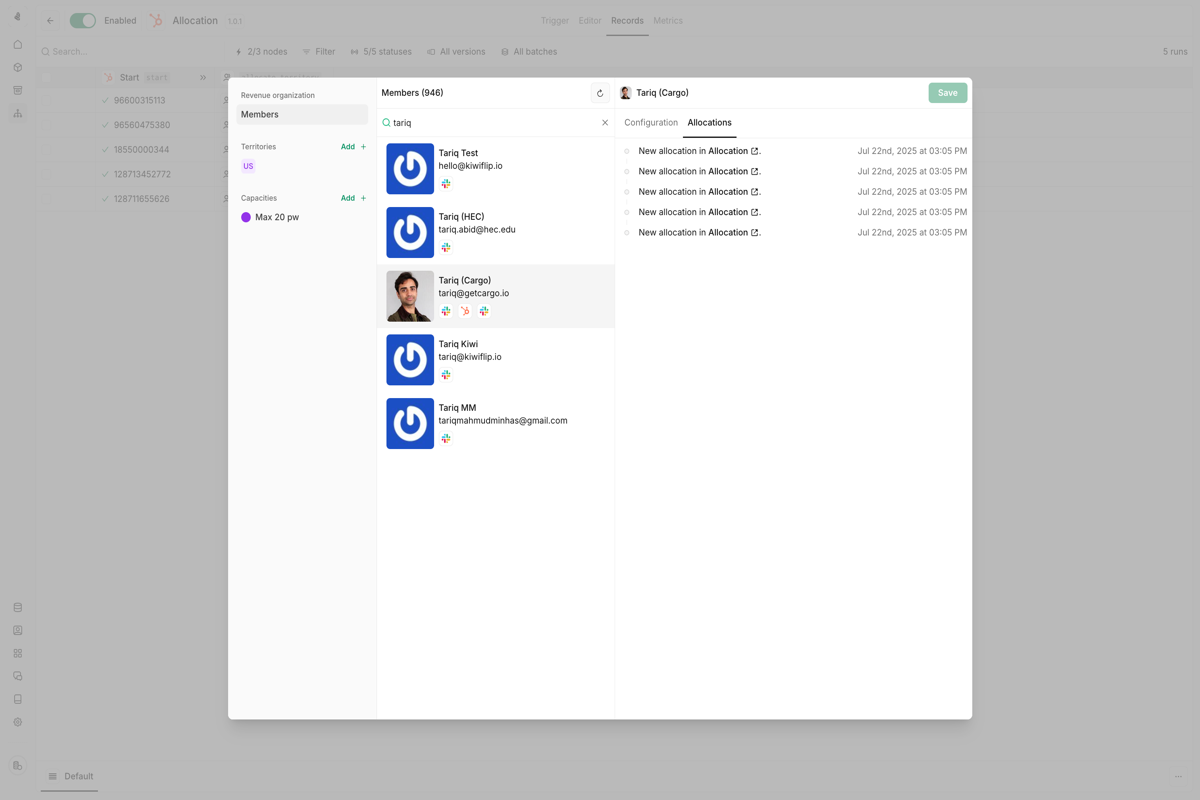
Every sales organization element—members, territories, and capacities—has a dedicated history screen that logs all allocations. Each entry links to the specific play run that triggered the assignment. Use allocation history to:- Verify that distribution rules are working as expected
- Troubleshoot assignment issues
- Audit lead routing decisions
Allocation fallback
Fallback rules ensure every lead gets assigned, even when primary routing fails. Cargo provides two fallback mechanisms:- Territory fallback — Each territory can designate a fallback member who receives allocations when all other members exhaust their capacity.
- Retry on failure — Configure the allocation node to continue attempting assignment until successful, ensuring no lead is left unassigned.